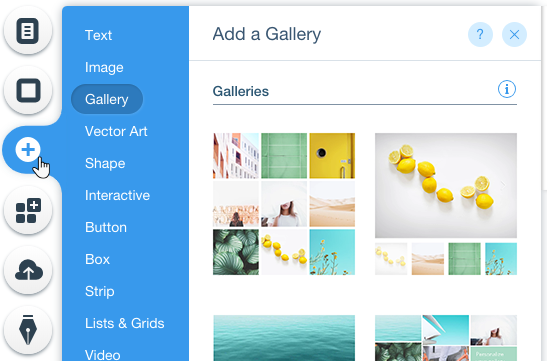
The Wix Editor is the platform you use to build and edit your website. It is packed full of features to help you create a stunning and functional website.
The Wix Editor contains hundreds of stunning, customizable elements that you can use to create your site. Choose from images, text, shapes, strips and more to make your site interesting and beautiful!
Click Add on the left side of the Editor to start adding elements.
Customize Your Elements
You can customize all of the elements on your site.
Select an element and click the Settings, Design, Layout or Animate icons to customize it. Depending on the element selected, you will see different customization options.
Play around with the different settings and options to personalize your elements.
Save, Preview and Publish
You can find the Save, Preview and Publish buttons at the top right of the Editor.
Save: Click Save regularly so you don't lose any of your work. Keep in mind, saved changes won’t appear on your site until you click Publish.
Preview: Click Preview to view how your site looks live.
Publish: Click Publish in the top right corner when you're ready for your site to go live.
Tips:
Use Wix ADI if you would like us to automatically build a stunning website for you. Learn How
If you need help creating your site from scratch or even just refreshing an existing site, check out the Wix Arena.